

Laptop Battery Replacement in Nairobi Kenya.
Your laptop battery plays a crucial role in how efficiently your computer performs when it is not plugged into power. Over time, every battery starts to lose its ability to hold a charge, leading to poor performance, short battery life, or unexpected shutdowns. If you are noticing these signs, it might be time for a laptop battery replacement. At Hewlett Computer Solutions, we specialize in professional laptop battery replacement services for all major brands, ensuring that your laptop runs reliably and efficiently once again.
1. Why Laptop Batteries Need Replacement
Laptop batteries are designed with a limited number of charge cycles. After several hundred cycles, they begin to degrade and lose capacity. This degradation is a natural process that affects all rechargeable batteries.
The main causes of battery wear include:
- Continuous use while plugged in for long hours
- Exposure to high heat during charging or use
- Use of non-original chargers
- Full discharges to 0% repeatedly
- Normal aging of the lithium-ion cells
At Hewlett Computer Solutions, we recommend checking your battery’s health regularly and replacing it as soon as you notice significant deterioration to prevent damage to other laptop components.
2. Common Signs You Need a Laptop Battery Replacement
A weak or damaged battery can cause several issues that affect productivity. Some of the most common warning signs include:
- The laptop battery drains unusually fast even after full charging
- Your laptop shuts down suddenly without warning
- The battery percentage fluctuates or gets stuck at a certain level
- The laptop fails to start unless plugged into power
- You notice swelling, overheating, or physical damage on the battery
- Battery health status in your system indicates poor or low capacity
If your device shows one or more of these signs, it’s time to visit Hewlett Computer Solutions for a reliable laptop battery replacement service.
3. How to Check Your Battery Health Before Replacement
You can easily check your laptop’s battery condition before making the decision to replace it.
For Windows users:
- Type “cmd” in the search bar and open Command Prompt.
- Enter the command
powercfg /batteryreportand press Enter. - Open the generated report to compare “Design Capacity” and “Full Charge Capacity.” A big difference indicates your battery is wearing out.
For macOS users:
- Click the Apple menu and select “About This Mac.”
- Go to “System Report,” then “Power.”
- Check the battery’s “Cycle Count” and “Condition.” If it says “Service Recommended,” you need a replacement.
If you’re unsure about these steps, the team at Hewlett Computer Solutions can help test your battery and advise you on the best replacement option.
4. Choosing the Right Replacement Battery
When replacing your laptop battery, quality and compatibility are key. The wrong battery can lead to overheating, performance issues, or even permanent damage.
Here is what you should consider when buying a replacement:
- Compatibility: Match the battery with your laptop’s exact model number.
- Capacity and Voltage: Ensure the replacement battery matches your original specifications.
- Battery Type: Lithium-ion and lithium-polymer are most common, offering good balance between weight and performance.
- Original or High-Quality Alternative: OEM batteries are ideal, but reputable third-party options also perform well.
- Warranty: Always choose batteries with at least six months of warranty.
At Hewlett Computer Solutions, we stock genuine and high-performance laptop batteries compatible with leading brands such as HP, Dell, Lenovo, Acer, ASUS, and Apple MacBook. Every battery we install is tested for safety and reliability.
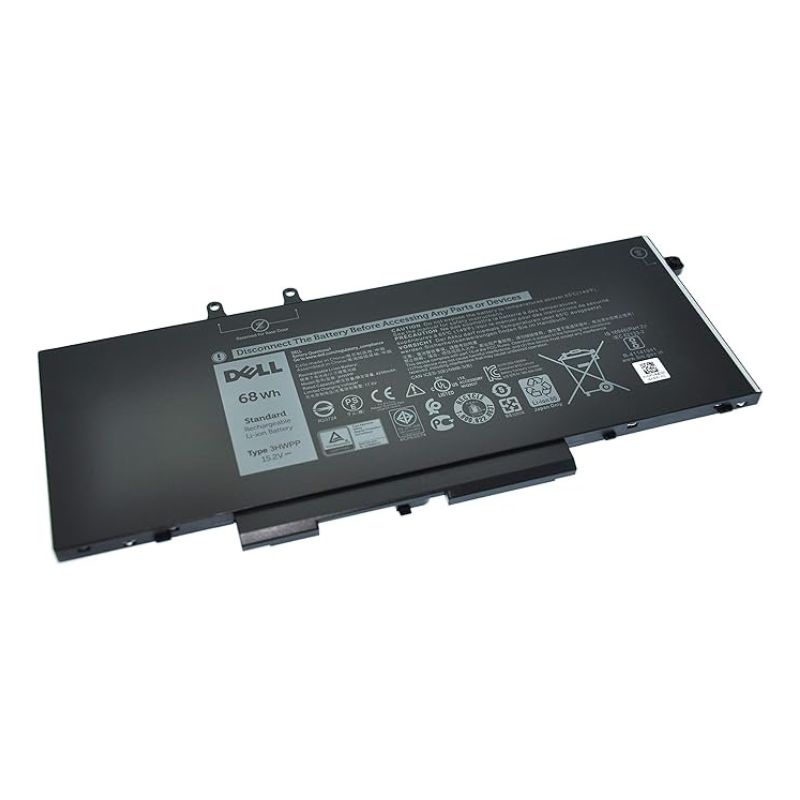
5. How to Replace a Laptop Battery
Laptop battery replacement varies depending on whether your device has a removable or built-in battery.
For laptops with removable batteries:
- Shut down the laptop and unplug it.
- Release the battery latch to remove the old battery.
- Insert the new battery securely.
- Power on the laptop and charge the battery fully before first use.
For laptops with internal batteries:
- Turn off the laptop and remove the back cover carefully.
- Disconnect the battery connector and remove the screws holding it.
- Replace with the new battery and reconnect the cable.
- Reassemble the laptop and charge to 100%.
If your laptop has a built-in battery, you should not attempt the replacement yourself. Visit Hewlett Computer Solutions for professional battery replacement to avoid damaging delicate components.
6. How to Extend Your New Battery’s Lifespan
After replacing your laptop battery, proper maintenance can help you get the best performance and longer service life. Follow these tips to preserve your battery health:
- Avoid letting your battery drop below 20% frequently.
- Keep your laptop cool and avoid using it on soft surfaces like beds.
- Disconnect the charger once the battery reaches 100%.
- Use only the original or certified charger.
- Perform a full discharge and recharge once every few months for calibration.
- If storing your laptop for long periods, keep the battery at around 50% charge.
Following these practices will ensure your new battery remains efficient for years.
7. Benefits of Laptop Battery Replacement at Hewlett Computer Solutions
Choosing Hewlett Computer Solutions for your laptop battery replacement offers multiple advantages:
- Professional testing and diagnosis before replacement
- Genuine and high-quality batteries for all major laptop brands
- Expert installation by trained technicians
- Affordable pricing and fast turnaround time
- Warranty on all replacement batteries
- Free consultation and after-sales support
Whether your laptop is for work, school, or personal use, our goal is to help you enjoy uninterrupted performance and long battery life.
8. Cost of Laptop Battery Replacement in Kenya
The cost of replacing a laptop battery varies depending on brand and model. On average:
- Standard replacement batteries cost between KES 3,000 and KES 8,000
- Premium or original batteries can cost up to KES 15,000
- Professional installation service is available at an affordable fee
At Hewlett Computer Solutions, we ensure transparent pricing and provide the best value for genuine replacements. Our technicians will guide you through available options based on your budget and laptop model.
9. Why Choose Hewlett Computer Solutions
Here’s why customers in Kenya trust Hewlett Computer Solutions for laptop battery replacement:
- Over 10 years of experience in laptop repair and servicing
- Reliable stock of genuine batteries and accessories
- Fast service turnaround to minimize downtime
- Skilled technicians with deep knowledge of all laptop models
- Customer-focused service with warranty-backed parts
Our workshop is equipped with advanced diagnostic tools, and our commitment to quality ensures every replacement battery performs like new.
10. Visit Hewlett Computer Solutions Today
If your laptop battery no longer holds charge or your device shuts down unexpectedly, don’t wait for it to worsen. A faulty battery can damage your laptop’s motherboard or charging circuit if ignored.
Visit Hewlett Computer Solutions today for professional laptop battery replacement in Kenya. Our experts will test your battery, recommend the right replacement, and install it safely for long-lasting performance.
We handle all major brands including HP, Dell, Lenovo, Acer, Toshiba, ASUS, and Apple MacBook. Whether you need an original battery or a high-quality alternative, we have you covered.